CodeAlchemy
Jotting one man's journey through software development, programming, and technology
Project maintained by pablogarciaprado Hosted on GitHub Pages — Theme by mattgraham
Web Application Architecture
◀️ Home
URL
Components
Example:
https://asset-check.run.app/results?ids=20251015120903_RECKITT_Nurofen_LasVegas_020_004_AT,20251015120903_FY23Q4_Pepsi_MOVIES_Sleek_Black_Fantasy_16x9_6s_1
- Domain:
https://asset-check.run.app - Path/Endpoint:
/results - Query Parameter:
?ids=20251015120903_RECKITT_Nurofen_LasVegas_020_004_AT,20251015120903_FY23Q4_Pepsi_MOVIES_Sleek_Black_Fantasy_16x9_6s_1
Request/Response
Whenever we visit some type of website we refer to it as the client, or the frontend. Behind the scenes, that frontend is communicating with some type of API (Application Programming Interface) - which is running on a different server - through requests and responses.
We can think of an API as a backend server that handles all data operations (e.g. creating, reading, updating, deleting).
The request is what we send from the frontend to the backend essentially saying what we want to do. The response is what comes back from the backend to our the client.
Request Components
Type/Method
- GET: Retrieve something
- DELETE: Delete something
- POST: Create something
- PUT/PATCH: Update something
Path
The path identifies the resource or action in the API.
Example: /users/42/orders means “orders that belong to user 42”.
Request Body
The request body contains the data you send to the server (usually JSON).
Common with POST, PUT, and PATCH.
Example:
{ "name": "Alice", "role": "admin" }
Request Headers
Headers provide extra metadata about the request. Common headers:
Authorization: who is making the requestContent-Type: format of the body (for exampleapplication/json)Accept: response format expected by the client
Response Components
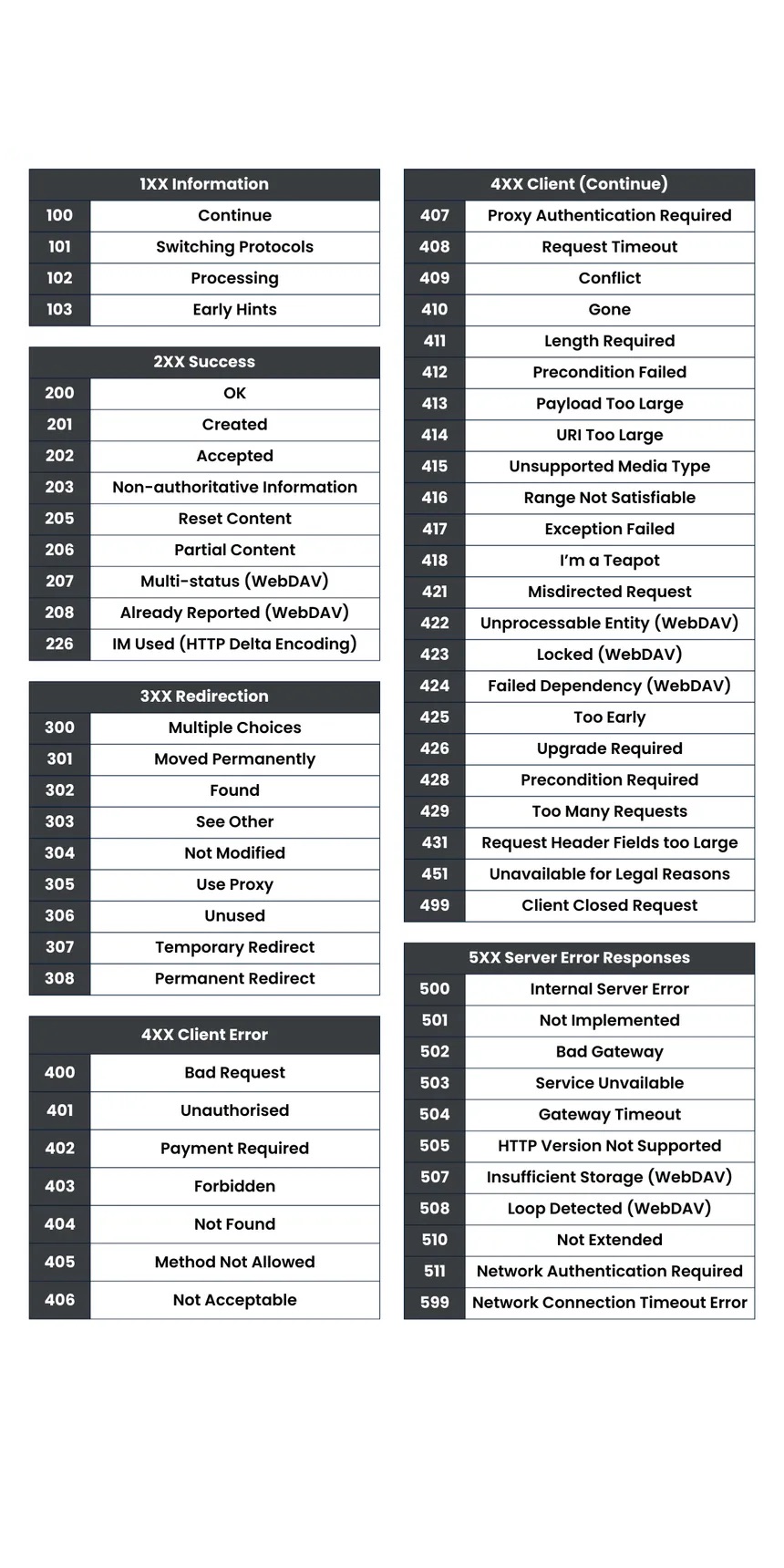
Status Code
The status code tells you if the request succeeded or failed.
2xx: success4xx: client-side issue (bad request, unauthorized, not found)5xx: server-side issue
Response Body
The response body is the actual data returned by the server. It can contain results, created/updated data, or an error message.
Response Headers
Response headers provide metadata about the response. Examples:
Content-Type: response formatCache-Control: caching behaviorSet-Cookie: sends/updates cookies in the browser